AI Meeting Summaries: What They Capture, What They Miss and How to Review Them
November 18, 2026
November 18, 2026
An AI meeting summary is a written summary of a call that software generates from the transcript of the meeting. It lists the main topics, decisions and follow-up tasks. It’s fast and usually a good first pass, but it’s only as good as the transcript underneath it, so a human should look over it before the team acts on it.
We’ve all opened an automatic meeting summary the morning after a call and thought, “Well, that’s not quite what happened. What was a hedged’maybe next sprint’ is now a hard deadline. Misspelling of a client’s name. The one real decision is hidden away in three paragraphs on scheduling. The problem is that nothing appears to be broken.
This guide covers what AI meeting notes get right, where they go wrong, and a simple review routine that keeps the useful parts and catches the rest.
Key takeaways
An AI meeting summary condenses a recorded or live conversation into the points that matter: what was discussed, what was decided and who has to do what next. Software writes it from a transcript, usually with a language model, and delivers it by email, in the meeting chat or inside the platform.
Several neighbouring terms get mixed up, which makes tools hard to compare.
| Record | Who or what writes it | Best for |
|---|---|---|
| Transcript | Speech recognition | Checking exactly what was said |
| AI meeting summary (AI meeting notes) | A language model, from the transcript | A fast first draft of topics, decisions and tasks |
| Manual notes | A person in the meeting | Capturing meaning, tone and judgment |
| Meeting minutes | A secretary or chair | A formal record of attendance, motions and decisions |
| Meeting recap | A person, working from the summary | The short message that goes to attendees afterwards |
“AI meeting notes” and “AI meeting summary” are used almost interchangeably. In practice, notes can be looser, a running list of points, while a summary is organized around topics, decisions and next steps. A meeting recap is the version you send once someone has read and corrected the draft.
Every AI meeting assistant follows roughly the same chain. Knowing the links shows you where mistakes enter.
The point to remember is that errors travel downstream. A wrong speaker label in step 3 becomes a task assigned to the wrong person in step 5. For a wider view of where this technology is heading, see our article on how AI is changing virtual meetings.
Most AI meeting summarizers offer four core features: transcription, automated action items, searchable questions across past meetings, and integrations with the tools your team already uses. These are the ones that usually decide whether a tool is worth keeping.
A feature list shows what a tool can do, not how well it does it. The sections below look at how these features hold up in practice and how to check their output.
Want to see AI meeting summaries in action? Explore inMeet →
They do best when people speak plainly. You can usually rely on an automatic meeting summary for:
Predictable meetings such as daily stand ups and status updates fit this well, because their content has the same shape every time.
The gaps are consistent enough that you can learn to look for them.
Language is worth a mention too. Many tools expect one language per meeting, so if people switch languages mid-call, check that those stretches weren’t dropped.
Review in order of risk, so the errors most likely to cause damage are caught first.
Here is an invented but typical case.
The software squeezed a conditional into a decision and left out the follow-up. In practice, this is the edit you will make most often.
Ready to make your meeting follow-ups easier? See How inMeet Works →
Not every call deserves the same effort.
| Meeting type | How far to trust the summary | Review depth |
|---|---|---|
| Daily standup or status update | High, the format is predictable | Quick skim |
| Project planning or sprint review | Fairly high for tasks, lower for reasoning | Check owners, dates and dependencies |
| Client or sales call | Medium | Verify figures, promises and exact wording |
| Interview or sensitive 1:1 | Low, tone and nuance carry the meaning | Rely on your own notes, use the summary as backup |
| Board, legal, medical or regulated meeting | Draft only | Keep formal minutes written by a person |
The summary is raw material. The meeting recap is what people actually open, and a good one fits on a single screen:
Cut anything people can’t act on. If a reader has to open the transcript to understand a line, rewrite the line.
Accuracy gets the attention, but data handling matters just as much, especially for client calls and internal strategy sessions. Ask:
Our guide to security features to check before choosing a video meeting platform goes through these points in more detail.
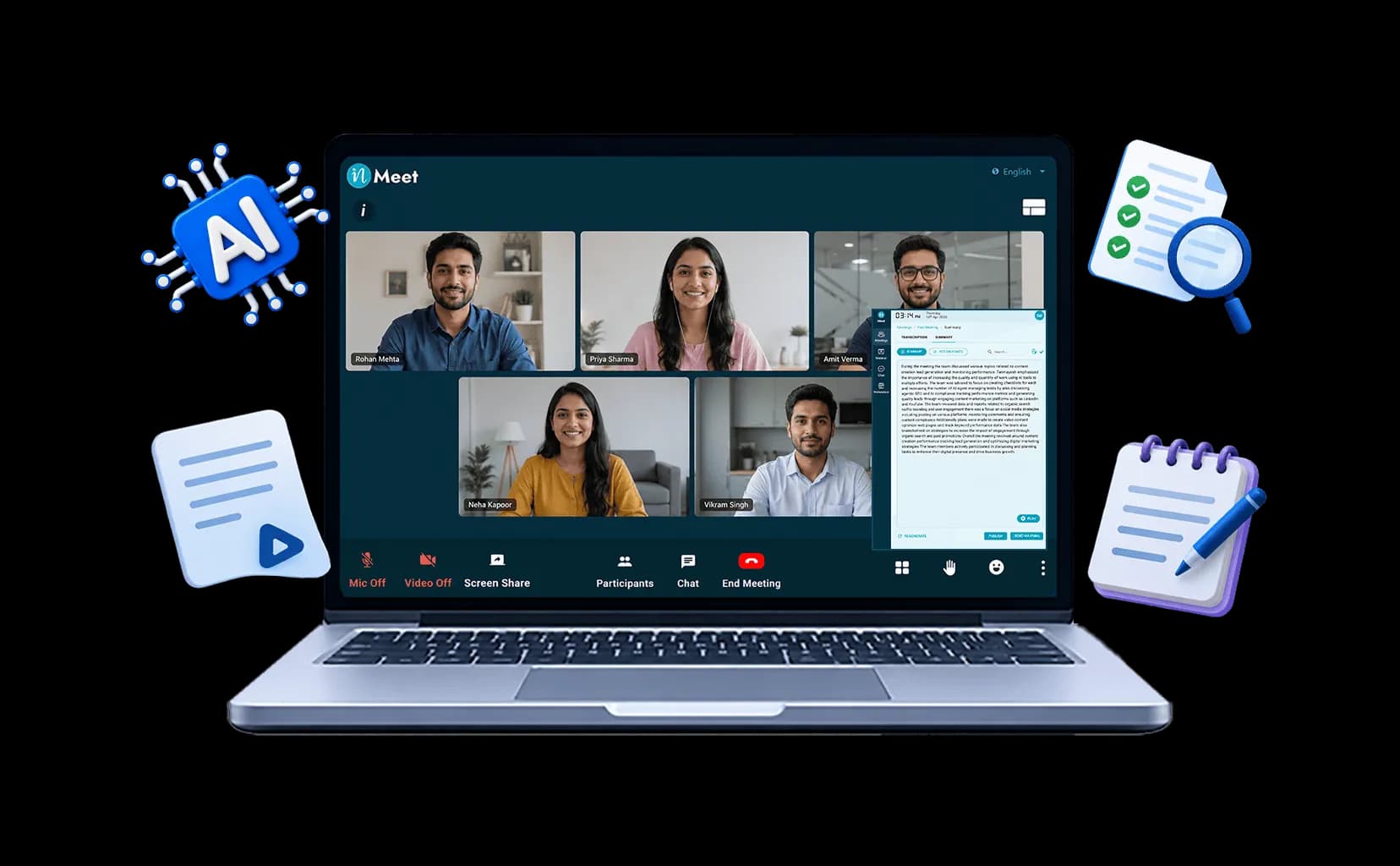
inMeet generates AI summaries that capture the key points and action items from a meeting. You can open both the original transcript and an auto-corrected version, which speeds up the review steps above: you can compare what was said with the cleaned-up text and trace a doubtful line back to its source. Meetings run in the browser with no download, and the platform is built with AES 256-bit encryption.
To see how summaries fit into the wider meeting workflow, explore the inMeet meetings feature page.
An AI meeting assistant removes the slowest part of meeting follow-up, the blank page. It does not remove the need for judgment. Use the summary to get a draft in seconds, spend ten minutes checking names, decisions, owners and open questions, and send a recap people can act on.
An AI meeting summary is a condensed written record of a meeting that software creates from the transcript. It typically lists the main topics, decisions and action items, and is delivered by email, in chat or inside the meeting platform.
They are accurate enough to edit, but not to send unread. Accuracy depends on audio quality, speaker labeling and how well the tool handles names and jargon. Clearly stated decisions and tasks are usually captured, while hedged commitments, tone and chat content are often missed.
The terms overlap heavily. AI meeting notes tend to be a looser running list of points, while an AI meeting summary is organized around topics, decisions and next steps. Both are drafts that a person should review.
Not for formal purposes. Minutes are an official record, usually written or approved by a person. An AI summary can help draft them, but it should not be the final record for board, legal or regulated meetings.
Check names and numbers, separate decisions from discussion, give every action item an owner and a date, add open questions, and keep it to one screen. Send it the same day to everyone invited.
It depends on the tool. Check how long recordings and transcripts are stored, whether content is used for model training, how data is encrypted, who can read the summary, and whether AI features can be turned off for sensitive meetings.
Only partly in many tools. Several expect one language per meeting, so sections in another language may be mistranscribed or skipped. Check the transcript before relying on the summary.
Have questions or need assistance? Fill out the form, and we'll get back to you right away!
Usually in 24 hours on working days.