Per User vs Concurrent Licensing
Which Video Conferencing Pricing Model Saves More?
July 22, 2026
Which Video Conferencing Pricing Model Saves More?
July 22, 2026
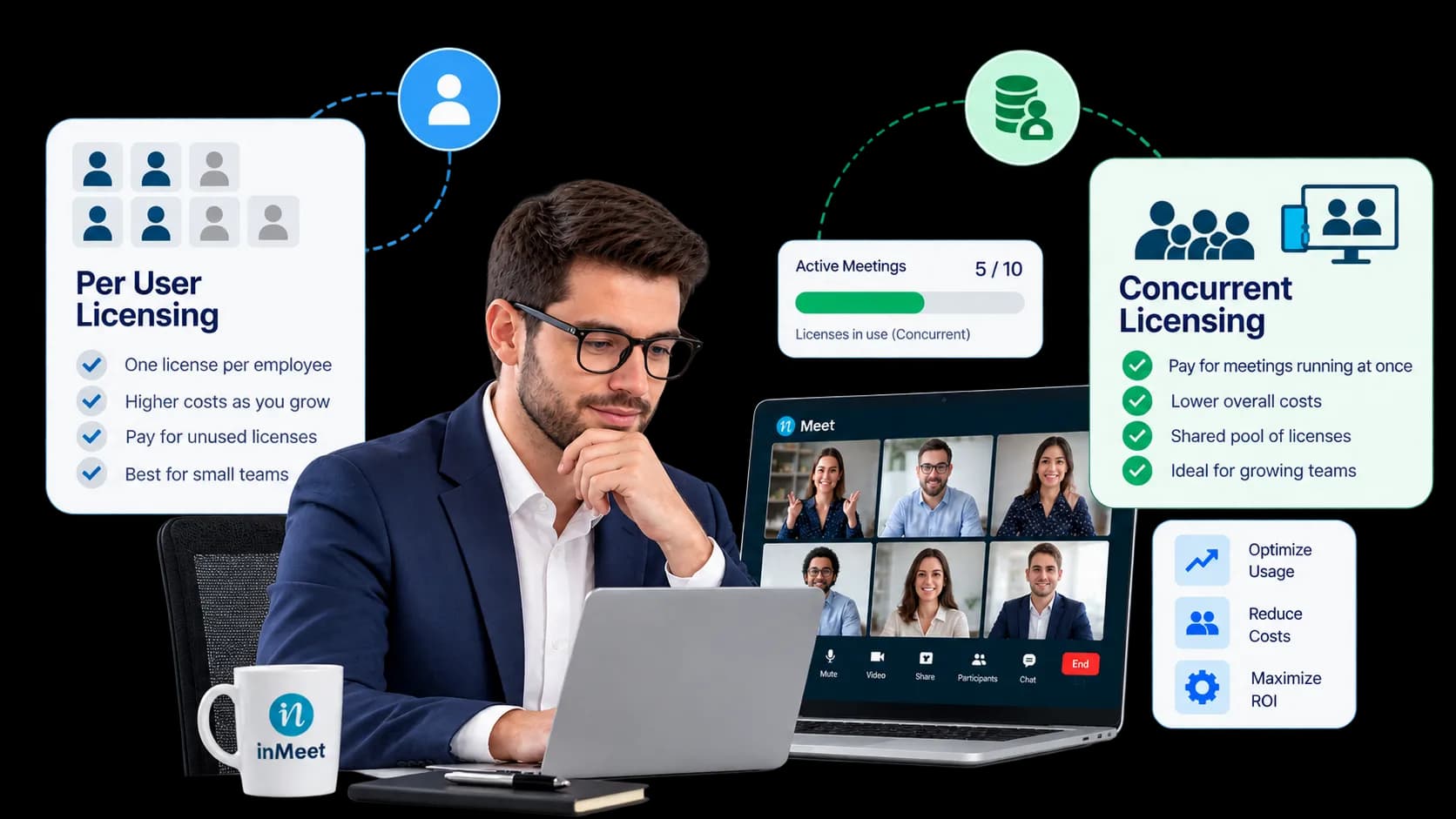
Concurrent Licensing usually saves more money than Per User pricing, because you only pay for the number of meetings running at the same time not for every employee on payroll. Savings can reach up to 70% for teams with staggered schedules.
If you’re shopping for a video conferencing platform, you’ve likely seen two very different pricing models on the table: pay per employee, or pay for a shared pool of licenses. They sound similar. They are not. Picking the wrong one can mean paying hundreds or thousands of dollars more per year for the exact same amount of meeting time.
Per User Pricing means every employee who might ever host a meeting gets their own license. If you have 30 employees and want all of them able to start meetings, you buy 30 licenses. It doesn’t matter if half of them only host once a month you still pay for all 30, every month, all year, whether they log in or not.
Concurrent Licensing works on a completely different idea. Instead of buying a license per employee, you buy licenses for the highest number of meetings your company runs at the same time. Any employee can grab a license from that shared pool to start a meeting. Once the call ends, the license goes back into the pool, ready for the next person to use.
Same team, same amount of meeting activity two very different bills.
Think about parking spots at an office building.
Per User pricing is like giving every employee their own reserved parking spot, whether they drive to work every day or once a month. You pay for every spot, empty or full, all year long.
Concurrent Licensing is like a shared lot with a fixed number of spots. Anyone can pull in when they arrive. When they leave, that spot opens up for the next person. You only pay for the number of spots your building actually needs at once not one per employee on staff.
Most companies don’t have every single employee hosting a meeting at the exact same minute. Sales might run calls in the morning. Support runs calls in the afternoon. Leadership meets once a week. A shared pool almost always ends up cheaper, simply because most licenses sit idle most of the day.
Need help implementing this strategy in your workplace? Reach out to our experts.
Video conferencing spend isn’t shrinking it’s shifting. Industry research shows the broader cloud communications market grew to roughly $23 billion in 2025, as more companies move meetings, calling, and messaging off legacy on-site systems and onto cloud platforms, according to Nextiva’s UCaaS market report. As more budget flows into these tools, the pricing model you pick has a bigger impact on your bottom line every year.
At the same time, buyers are pushing back on confusing pricing. Gartner’s own analysis of the market points to pricing complexity as a real pain point, noting that clearer licensing and contract management are now a deciding factor for many IT teams, as covered in UC Today’s Gartner Magic Quadrant breakdown. In other words, you’re not alone if per-user pricing has felt hard to justify and that’s exactly why shared, usage-based models are gaining traction.
| Per User Pricing | Concurrent Licensing | |
|---|---|---|
| You pay for | One license per employee | One license per meeting happening at once |
| Best for | Very small teams where everyone hosts daily | Teams with staggered meeting schedules |
| Cost as you hire more people | Rises with every new hire | Stays flat unless meeting volume rises |
| Wasted spend | Common paying for hosts who barely meet | Rare licenses get reused all day |
| Admin setup | Simple assign one license per person | Slightly more setup needs a usage check upfront |
| Typical savings | Baseline cost | Up to 70% lower, depending on usage |
For a closer look at how per-user pricing quietly adds up, read why host licenses inflate your bill.
Here’s the math for a typical 20-person business, one of the most common team sizes for small and mid-market companies.
The setup:
Option 1: Per User Pricing:
Option 2: Concurrent Licensing:
The savings: roughly $2,520 a year, or about 70% less, just by paying for actual usage instead of headcount. No one loses the ability to host a meeting. The company just stops paying for licenses that sit unused most of the day.
This gap grows as a company grows. A 50-person team with 10 concurrent meetings saves even more in real dollars, because per-user cost climbs with every hire while concurrent cost only climbs if meeting demand climbs with it.
Want to see this in action? Book a personalized demo.
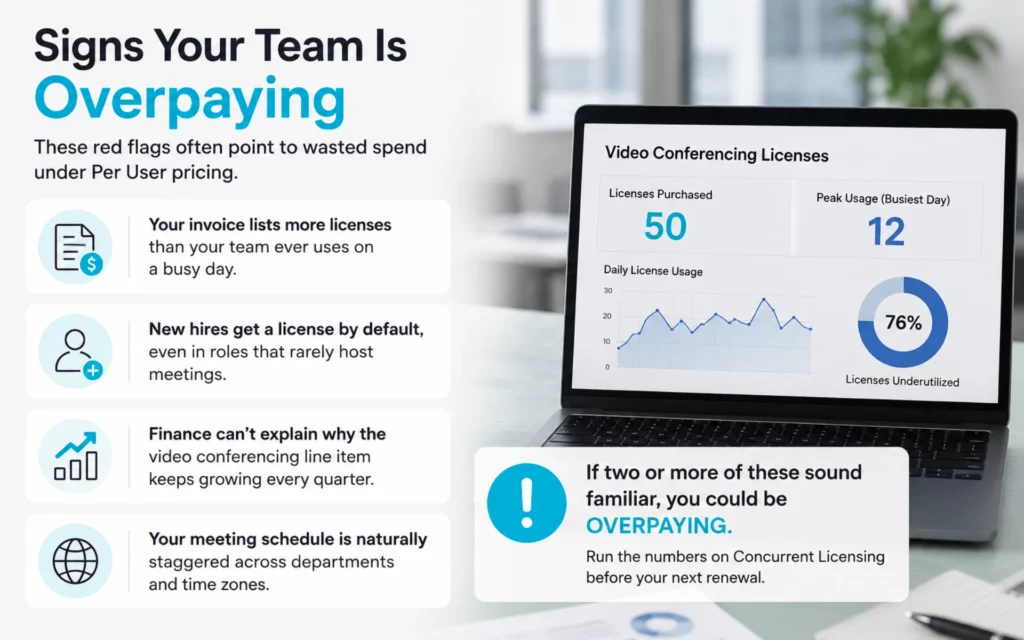
A few common patterns point to wasted spend under Per User pricing:
If two or more of these sound familiar, it’s worth running the numbers on Concurrent Licensing before your next renewal.
Concurrent Licensing isn’t automatically the right call for every business. Per User pricing can still be the simpler, cheaper option when:
The only way to know for sure is to check your own numbers before signing a contract.
If security is also on your checklist while comparing vendors, this guide covers what to check before choosing a platform.
Skip the manual work and generate leads automatically. Try our tool for free.
The licensing model is the biggest factor in your bill, but not the only one. Cloud recording storage, webinar attendee limits, and support plans can all add to your total cost after you’ve picked a pricing model. For the full picture, see how to save big on your video conferencing bills.
Concurrent licensing means your company pays for a shared pool of licenses sized to your peak number of simultaneous meetings, not your total employee count. Any employee can use an available license to host, and it returns to the pool once their meeting ends.
Yes. Vendors sometimes use “per host” and “per user” as different labels for the exact same billing model: one license, tied to one named person, paid every month regardless of use.
For most 20-person teams, concurrent licensing is cheaper. If only a handful of employees ever host meetings at the same time — a common pattern — you can save around 70% a year compared to buying a license for every employee.
Compare your peak concurrent meeting count to your total headcount. A big gap between the two means concurrent licensing will likely save money. If nearly everyone hosts meetings at the exact same time, per-user pricing may cost about the same or less.
Add-ons like recording storage, webinar capacity, integrations, and support tiers all affect the total bill. Always compare full vendor quotes, not just the base license rate, before you decide.
Have questions or need assistance? Fill out the form, and we'll get back to you right away!
Usually in 24 hours on working days.