What Is a Breakout Room? A Simple Guide for Better Meetings
March 19, 2026
March 19, 2026
A Breakout room is a private, smaller space created inside a main online meeting platform. The host splits a large group into small teams for focused talks. When the timer ends, the system brings everyone back to the main room automatically.
Many new remote workers ask what happens when their manager says it is time to use breakout rooms. You might feel confused. You might wonder if you need to hang up, open your email, and find a new meeting link. You do not need to do any of that.
In a virtual meeting, you stay right where you are. The host uses built-in tools to divide the main group. The software does all the heavy lifting. A small box might pop up on your screen asking you to join a room, or the software might move you there on its own.
Suddenly, the large meeting with 40 people turns into a small video call with just three or four coworkers. You can talk, share ideas, and work on a clear task. When the time is up, the software pulls you back to the main meeting. You do not click anything. You do not type in a new web address. It happens in seconds.
According to industry standards, moving 50 people into small rooms can take less than 10 seconds. You save time, keep your team focused, and avoid the mess of lost meeting links.
| Feature | Breakout Room | New Meeting Link |
|---|---|---|
| Process | Automatic transfer by the system. | Hang up, find a new link, and join again. |
| Host Control | Host sets up and controls all rooms at once. | Host cannot manage multiple links easily. |
| Time Used | Takes seconds to move everyone. | Wastes valuable meeting time. |
| Return Trip | One click or an automatic timer brings you back. | Hang up and then rejoin the original link. |
Skip the manual work. Try our tool for free
Large groups make it hard for everyone to talk. Think about a meeting with 30 people. Three people do all the talking. The other 27 people sit in silence. Some people hide. Others check their phones. Large meetings drain energy and slow down real work. Small rooms fix this problem.
According to Harvard Business Review, the most productive meetings have fewer than eight people. When groups get larger than that, people stop sharing their best ideas. Research indicates that groups of four to five people share 40% more ideas than large groups of 20 or more.
Here is why successful teams rely on these small digital spaces every day:
Need help implementing this strategy? Book a demo
You cannot just send people into rooms and hope for the best. Good leaders plan these sessions. If you send a group into a room without a goal, they will talk about the weather. You waste time.
Research from MIT Sloan Management Review shows that clear rules help remote teams build trust and work better together. You must give your team clear steps before you split them up.
Follow these steps to run a perfect session:
Tell everyone exactly what they need to do before they leave the main room. Do not be vague. Say, “You have ten minutes to pick the top three ideas for the new project.” Write the goal in the chat so everyone can see it when they move to their small rooms.
Give people jobs. Tell each group to choose one person to watch the clock. Tell them to pick another person to take notes. Pick a third person to share the group’s ideas when everyone goes back to the main room. This gives the group a fast start.
Do not leave the rooms open forever. Give teams a tight deadline. A five-minute or ten-minute timer makes people work fast. Most online meeting platforms let the host set a timer that everyone can see on their screens. When the timer hits zero, the software brings everyone back.
When you split people up, you want to make sure the meeting stays secure. Only invited guests should be able to join these rooms. You want to lock the doors to outsiders. Read more about how to protect your company calls in our post about the top security features to check before choosing a video meeting platform.
Even with good plans, hosts make mistakes. Avoid these common traps to keep your meetings running smoothly.
Want to see this in action? Book a personalized demo.
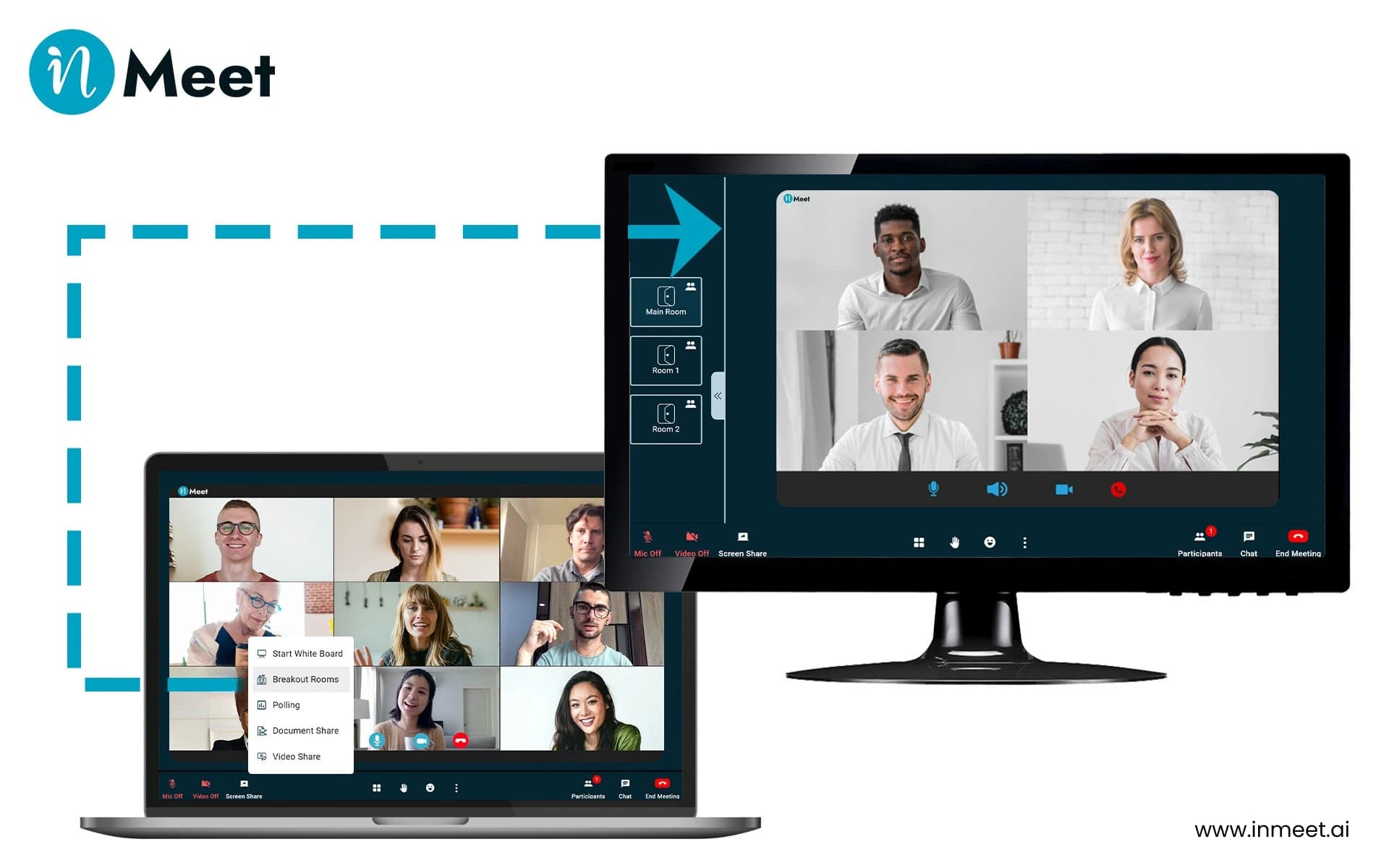
Using an online meeting platform should feel simple. You should not need a manual to run a meeting. With inMeet, you can click a single button to start your first breakout session.
You stay in full control. You can pick exactly who goes to which room by dragging their names. If you want to mix things up, you can click a button to let the system assign people randomly. This helps team members meet people they do not talk to every day.
As the host, you can jump in and out of different rooms to check on the teams and answer questions. It works just like walking around a real office.
We also keep your company talks safe from outsiders. We build our tools with tough security rules. You can learn more in our full guide on how to choose secure video conferencing for business.
Large meetings do not have to be a waste of time. When you use a breakout room, you give everyone a chance to speak, share ideas, and do real work. You stop the awkward silence of a 40-person call and replace it with focused, small-group teamwork.
The best part is how simple the technology makes this process today. You do not need to pause your virtual meeting, send out new calendar invites, or lose track of your team. The software handles the movement, the timers, and the return trip automatically.
By adding these short, private sessions to your weekly schedule, your team will make faster choices and build stronger habits. If you want to run better meetings today, start using small groups to get big results.
Ready to try smaller group chats? To see how simple it is to start a breakout room in inMeet. Book a demo
The main goal is to let small groups talk in private during a large event. Big meetings make it hard for everyone to speak. These small rooms help people focus, share ideas, and solve problems without talking over each other. They turn a boring lecture into active teamwork.
The meeting host clicks the breakout button on their main screen. They type in the number of rooms they want to make. They choose if they want to group people manually or randomly. Then, they click start. The software moves the guests automatically in just a few seconds.
They save a lot of time and stop confusion. Guests do not need to search their email for new links or type in new passwords. The host keeps everyone in the exact same main event. This makes it very easy to bring everyone back together at the end to share what they learned.
Have questions or need assistance? Fill out the form, and we'll get back to you right away!
Usually in 24 hours on working days.